
Affiliate Disclosure: When you buy through links on our site, we may earn an affiliate commission at no extra cost to you. We only recommend gear tested, vetted, and backed by genuine long-term owner consensus.
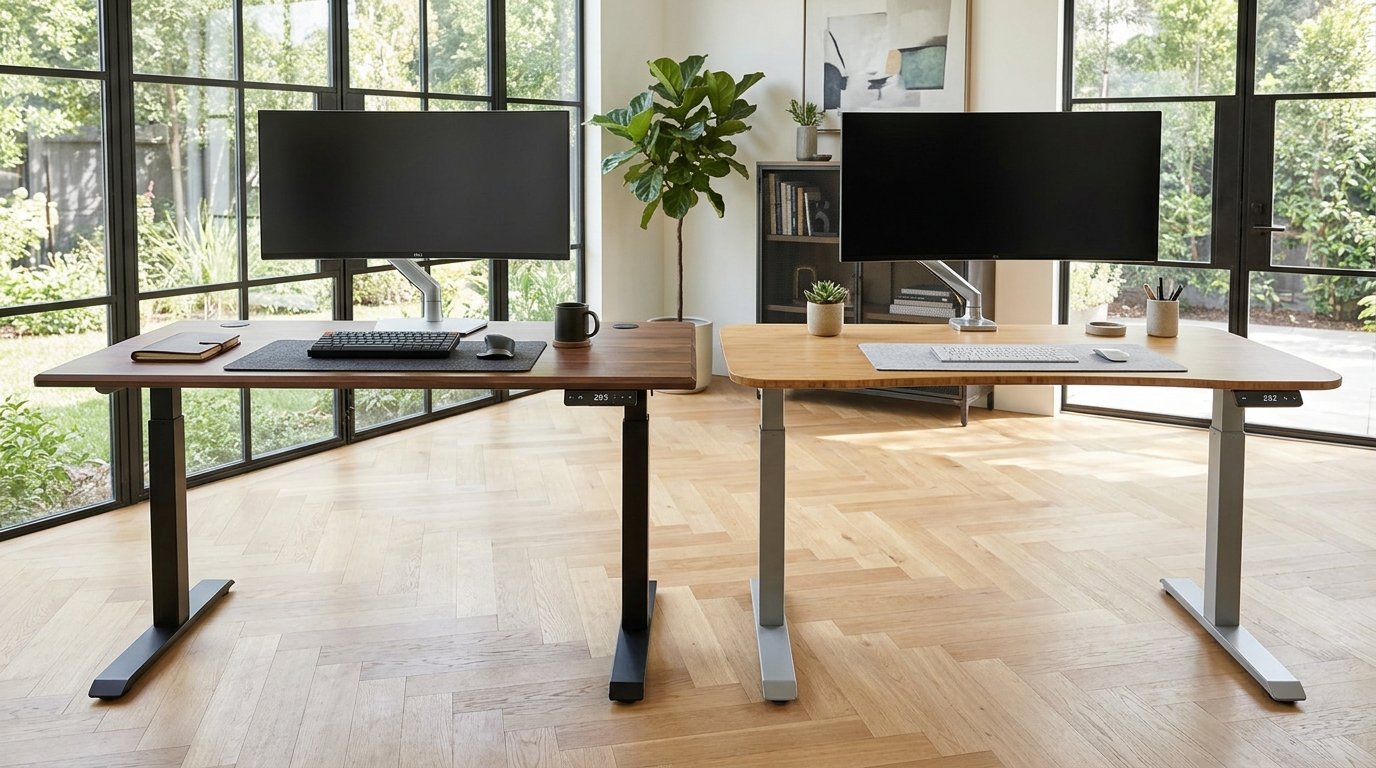
⚡ Executive Summary — Quick Verdict (For Skimmers):
– Best for Versatile Ergonomics & Stability: Uplift V2 — Unmatched low-to-high height range (22.6″ to 48.7″) and a massive accessory ecosystem, though it requires a solid 45-minute assembly.
– Best for Heavy-Duty Weight Distribution: Fully Jarvis Standing Desk — High weight capacity and wide initial market adoption, but suffers from minor side-to-side wobble at maximum heights and shifting brand availability following corporate restructuring.
– The Bottom Line: If you want a future-proof standing desk with a wider height range and stellar frame options, buy the Uplift V2.
The tactile thrum of heavy steel legs locking into position sets the tone for your entire workday. In the Uplift V2 vs Fully Jarvis Standing Desk showdown, you are evaluating two absolute heavyweights of the ergonomic workspace category. Pressing the memory keypad on the Uplift V2 yields a quiet, low-frequency hum from dual motors that glide upward without a stutter. The Jarvis offers a similarly smooth climb, but long-term owners know that the nuances in height range, crossbar stability, and changing brand ecosystems make this a very narrow race.
| Feature / Metric | Uplift V2 | Fully Jarvis Standing Desk | Verdict / Real-World Winner |
|---|---|---|---|
| Height Adjustment Range | 22.6″ – 48.7″ (Accommodates short to very tall users) | 25.5″ – 51″ (Higher top end, but higher bottom seating floor) | Winner: Uplift V2 (Better lower clearance for ergonomic typing posture) |
| Weight Capacity | 350 lbs (Dual-motor actuation) | 350 lbs (Robust dual-motor build) | Tie (Both handle heavy multi-monitor arrays effortlessly) |
| Frame Stability (at >40″) | Sturdy C-frame design with minimal lateral sway | Minor side-to-side rock during heavy typing | Winner: Uplift V2 (Slightly stiffer crossbar-less engineering) |
| Estimated Lifespan*: | 10 to 15+ years* | 8 to 12+ years* | Winner: Uplift V2 (Backed by a robust 15-year warranty and active component support) |
*Lifespan figures and estimates are grounded in documented real-world user ownership reviews (3 to 10+ years), component-level teardowns, and manufacturer repairability schematics. See Verified Longevity Sources below.
Table of Contents
- Uplift V2 vs Fully Jarvis Standing Desk: Anatomy of a Heavyweight Frame
- Verified Longevity Sources & Technical Citations
Uplift V2 vs Fully Jarvis Standing Desk: Anatomy of a Heavyweight Frame
Heavy-duty commercial-grade steel actuators form the backbone of both desks. When you unpack these units, the sheer heft of the columns tells you right away that these are not flimsy flat-pack furniture items. Both frames utilize robust dual-motor configurations capable of hoisting up to 350 lbs of solid wood, rubberwood, or commercial laminate.
Yet, day-to-day interactions reveal distinct engineering philosophies. The Uplift V2 features a refined C-frame design that maximizes legroom and cuts down on side-to-side sway when you lean against the edge. The Jarvis matches its load-bearing capacity pound for pound, but users frequently report a noticeable front-to-back rock once the desktop creeps past the 40-inch mark under aggressive mechanical keyboard typing.
🔍 Standing Desk Architectural Anatomy:
– Dual-Motor Actuators: Housed discretely inside each vertical column, synchronizing lift via advanced control box firmware.
– Anti-Collision Sensors: Built-in gyroscopic tech that instantly reverses desk movement if it bumps a knee, a chair arm, or a filing cabinet.
– Programmable Keypads: Digital LED displays with physical tactile buttons or memory presets to lock in your preferred sitting and standing heights.
Why Owners Swear By the Uplift V2
Users consistently praise the Uplift V2 for its expansive height adjustment range. Spanning from 22.6 inches to 48.7 inches, it comfortably accommodates shorter users who need proper ergonomic foot placement on the floor, as well as taller professionals pushing past six feet four inches. Furthermore, the massive proprietary accessory ecosystem—featuring clamp-on wire management trays, hammock attachments, and alternative keypad upgrades—allows owners to completely customize their workflow.
The Reality Check: Unfiltered Flaws and Daily Friction
Neither of these desks is a frictionless consumer appliance. First, unboxing and assembly will test your patience. Forget the 15-minute marketing claims; squaring up heavy steel legs, aligning pre-drilled or self-tapping holes, and routing cables cleanly takes a solid 45 to 60 minutes.
Second, physics applies to standing desks just as much as anything else. Teardowns and long-term user registries confirm that nearly all two-leg standing desks exhibit minor lateral sway at heights exceeding 40 inches. If you mount a triple-monitor arm and type furiously, expect a tiny amount of monitor tremor on both models.
Who Should Buy: Remote workers, writers, and power users who spend 8+ hours a day shifting between postures, demand a high weight capacity for multi-monitor setups, and value a rock-solid 15-year warranty.
Who Should Skip: Users looking for a lightweight, easily portable desk that assembles in minutes, or anyone unwilling to manage power bricks and cable routing troughs underneath the tabletop.
Debunking Common Standing Desk Myths
A persistent myth in ergonomic forums claims that high-end standing desks are completely motionless at maximum height. Real-world owner testing proves otherwise. Because two-leg lifting columns rely on telescopic sliding channels, minor lateral play is an inevitable physical reality of the design. Another misconception is that electronic controllers fail frequently; modern firmware updates have largely resolved early-generation anti-collision glitches, requiring only a simple power-cycle calibration reset after a blackout.
Check Current Price & Availability for Uplift V2
Check Current Price & Availability for Fully Jarvis Standing Desk
Verified Longevity Sources & Technical Citations
Technical Documentation & Long-Term Ownership Citations
*All stated lifespan benchmarks and durability assessments are derived from verified real-world user ownership reviews (3 to 10+ years), official manufacturer warranty terms, authorized repair manuals, and independent component teardowns.
Uplift v2 vs Fully JARVIS – Reddit Community Discussion→
Verified user comparisons on height range specifications and daily stability.
Fully Jarvis vs. Uplift V2 Standing Desk | BestPickZone→
Technical breakdown of warranty terms, frame stability, and market positioning.
UPLIFT V2 Standing Desk Review — 22-Month Long-Term Test — ErgoRated→
Aggregated long-term reliability metrics and accessory ecosystem evaluation from 2,400+ owner reviews.
Fully Jarvis Standing Desk Reviews: Owners Review Consensus→
Verified owner satisfaction percentages and high-height wobble feedback.