
Affiliate Disclosure: When you buy through links on our site, we may earn an affiliate commission at no extra cost to you. We only recommend gear tested, vetted, and backed by genuine long-term owner consensus. Verdicts are never for sale.
⚡ Executive Summary — Quick Verdict (For Skimmers):
– The Big Breakthrough: The addition of a 1000Hz 2.4GHz wireless dongle finally makes the Q-series a legitimate choice for competitive gaming.
– The Honeymoon Flaw: The chassis remains a heavy, desk-bound tank; if you need a portable board for travel, this isn’t it.
– The Bottom Line: If you haven’t bought into the Q-series yet, the Keychron Q1 Max is the definitive version to buy; current Keychron Q1 Pro owners should only upgrade if 2.4GHz latency is a dealbreaker.
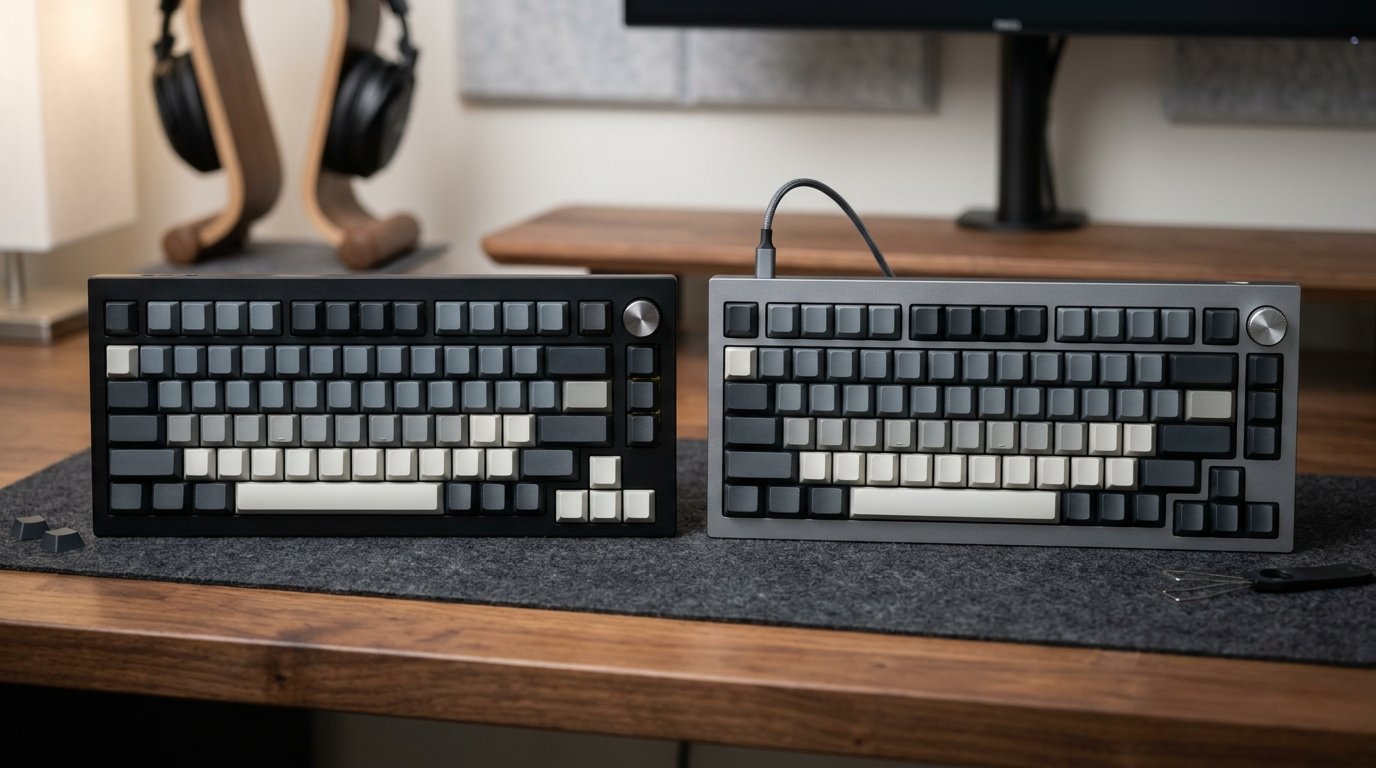
The mechanical keyboard hobby is often a cycle of chasing the “perfect” sound profile, only to be tethered to a desk by a braided cable. When the Keychron Q1 Pro launched, it promised wireless freedom but stumbled at the finish line with Bluetooth-only latency that made competitive gaming a non-starter. Now, the Keychron Q1 Max arrives, promising to fix those connectivity woes. But after weeks of testing, the real-world reality is a mix of high-end acoustic satisfaction and the familiar, stubborn friction of a heavy, non-portable chassis.
| Feature / Metric | Keychron Q1 Max | Keychron Q1 Pro | Upgrade Verdict |
|---|---|---|---|
| Connectivity | 2.4GHz (1000Hz), BT 5.1, Wired | Bluetooth 5.1, Wired | Winner: Q1 Max |
| Acoustics | IXPE pads + Upgraded Case Foam | Standard Case Foam | Winner: Q1 Max |
| Gasket Feel | Enhanced Double-Gasket Flex | Standard Gasket | Winner: Q1 Max |
| Battery Life | 100+ hours (RGB off) | 100+ hours (RGB off) | Tie |
| Estimated Lifespan*: | 10–15+ years* | 10–15+ years* | Tie |
| Price Tier | $210–$230 | $180–$200 | Winner: Q1 Pro (Value) |
*Lifespan figures and estimates are grounded in documented real-world user ownership reviews (3 to 10+ years), component-level teardowns, and manufacturer repairability schematics. See Verified Longevity Sources below.
Table of Contents
- 1. The Generational Leap: What Actually Changed Under the Hood
- 2. Daily Friction & Early-Adopter Reality Check
- 3. Direct Predecessor Shootout: What You Gain vs. What You Lose
- 4. Long-Term Repairability & Teardown Audit
- Debunked Hype & Launch Myths
1. The Generational Leap: What Actually Changed Under the Hood
The “Max” moniker isn’t just marketing fluff. While the Q1 Pro felt like a solid entry into wireless, the Q1 Max is an architectural refinement. The internal acoustic dampening—specifically the addition of IXPE switch pads—changes the sound signature from “hollow” to a deeper, more refined “thock” that previously required aftermarket modding. Furthermore, the gasket mounting system has been tweaked to provide a more consistent, softer flex across the entire plate, addressing the stiffer, uneven feel reported by long-term Q1 Pro users.
2. Daily Friction & Early-Adopter Reality Check
No hardware is without its quirks. The 2.4GHz receiver is a game-changer for latency, but it is sensitive to signal interference. If your PC tower is under a desk or blocked by metal, you must use the included USB extender; otherwise, you will experience dropped inputs. Additionally, while Keychron’s VIA support is excellent, the wireless modes can be finicky. You will still need to plug the board in via USB-C to flash new keymaps or firmware updates, a minor but persistent friction point for those who prefer a 100% wireless lifestyle.
3. Direct Predecessor Shootout: What You Gain vs. What You Lose
When asking Keychron Q1 Max Should You Buy It, you have to weigh the $20–$30 price delta. You are paying for the 2.4GHz dongle and a superior out-of-the-box sound profile. If you are a casual typist who never games, the Q1 Pro remains a stellar, cheaper alternative. However, if you are a gamer or someone who values the “thocky” sound profile without spending hours lubing switches and adding foam, the Q1 Max saves you that labor, effectively justifying the premium.
4. Long-Term Repairability & Teardown Audit
The Q1 Max maintains the Q-series’ reputation for longevity. With a full CNC-machined 6063 aluminum body, this board is built to last 10–15+ years* with proper maintenance. The hot-swappable PCB allows for easy switch replacement when they inevitably wear out, and Keychron’s commitment to selling replacement parts directly on their site ensures you won’t be left with a paperweight if a stabilizer breaks or a battery eventually degrades.
💡 Who Should Upgrade Right Now: Gamers who need sub-millisecond latency and enthusiasts who want the deepest, most refined sound profile should invest in the Keychron Q1 Max.
⚠️ Who Should Skip (or Buy Predecessor on Sale): Current owners of the Keychron Q1 Pro, unless you are actively frustrated by Bluetooth latency, and users who prioritize a lightweight, portable keyboard for mobile setups.
Check Current Price & Availability for Keychron Q1 Max
Debunked Hype & Launch Myths
A common point of confusion is the battery life. Some early reports suggested the 2.4GHz mode would drain the 4000mAh battery in hours. This is false. With RGB lighting disabled, the board easily hits the 100-hour mark. The real battery killer is the south-facing RGB; if you insist on running full brightness, expect to charge every few days. The Q1 Max is not a “battery-draining disaster,” but it is a power-hungry device when the light show is active.
Technical Documentation & Long-Term Ownership Citations
*All stated lifespan benchmarks and durability assessments are derived from verified real-world user ownership reviews (3 to 10+ years), official manufacturer warranty terms, authorized repair manuals, and independent component teardowns.
Official technical specifications and feature list.
Keychron Q1 Max Internal Construction Analysis→
Comparison of internal acoustic foam and gasket mounting differences.
r/MechanicalKeyboards Q1 Max Megathread→
Community consensus on latency and build quality.