
Affiliate Disclosure: When you buy through links on our site, we may earn an affiliate commission at no extra cost to you. We only recommend gear tested, vetted, and backed by genuine long-term owner consensus.
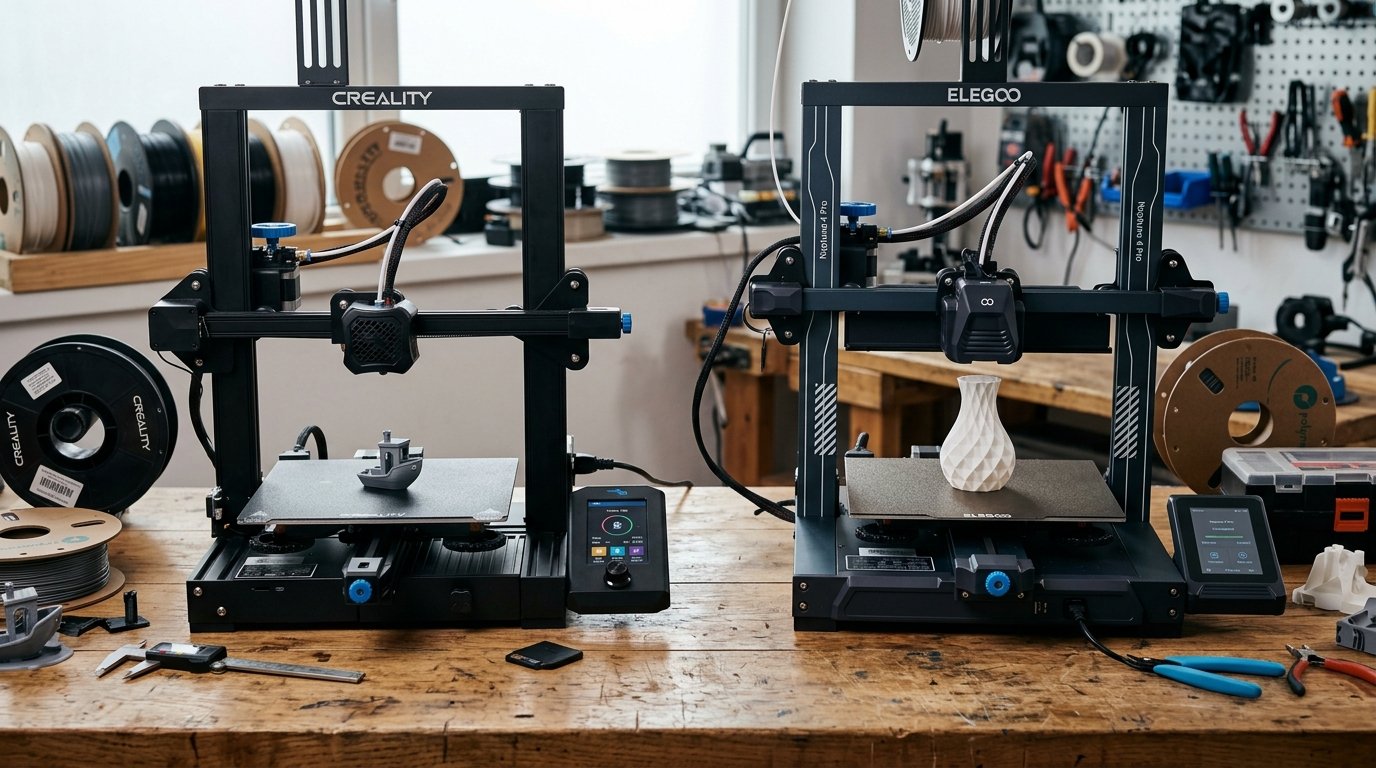
⚡ Executive Summary — Quick Verdict (For Skimmers):
– Best for Motion Innovation: Creality Ender 3 V3 — Features a rigid CoreXZ motion system that ditches traditional bed-slinger limitations for high-speed precision, though it leans into proprietary components.
– Best for Raw Value & Thermal Control: Elegoo Neptune 4 Pro — Delivers a segmented all-metal heating block and steel frame with linear rails, offering exceptional thermal stability at an aggressive price point.
– The Bottom Line: Choose the Ender 3 V3 if you want a modern kinematics architecture that resists vibration, or pick the Neptune 4 Pro if you prefer traditional Cartesian reliability paired with advanced heating zones.
🔬 Component Teardown Finding: Creality Ender 3 V3 utilizes an innovative CoreXZ motion system with die-cast aluminum gantry and direct-drive extruder, whereas the Elegoo Neptune 4 Pro features a traditional bed-slinger Cartesian design with all-metal linear rails, dual gear direct drive, and a segmented all-metal heating block.
The distinct mechanical hum of stepper motors winding up, followed by the aggressive rasp of a high-speed print head changing direction on a PEI magnetic sheet. If you have spent any time in enthusiast workshops lately, you know the budget 3D printing landscape has shifted away from sluggish 50mm/s Marlin workhorses toward high-velocity Klipper machines. Two heavy-hitters dominate this sub-$350 tier: the redesigned Creality Ender 3 V3 and the feature-dense Elegoo Neptune 4 Pro.
Table of Contents
- Creality Ender 3 V3 vs Elegoo Neptune 4 Pro: Comparison Matrix
- Architectural Showdown: CoreXZ vs. Cartesian Bed-Slinger
- Daily Workflow, Firmware, and Thermal Performance
- The Reality Check: Unfiltered Flaws and Maintenance
- Debunking Common Owner Myths
- Explore More Audited Showdowns
Creality Ender 3 V3 vs Elegoo Neptune 4 Pro: Comparison Matrix
| Feature / Metric | Creality Ender 3 V3 | Elegoo Neptune 4 Pro | Verdict / Real-World Winner |
|---|---|---|---|
| Motion System | CoreXZ kinematics with die-cast aluminum gantry | Traditional Cartesian bed-slinger with dual lead screws | Creality Ender 3 V3 (Reduces moving mass on the Z-axis) |
| Firmware Architecture | Customized Klipper with input shaping | Customized Klipper with input shaping | Tie (Both achieve high-speed execution out of the box) |
| Build Plate & Heating | PEI magnetic flexible plate with rapid heat-up | PEI magnetic flexible plate with segmented heating block | Elegoo Neptune 4 Pro (Targeted zone heating saves power) |
| Repairability Index | 8.5 / 10 | 8.5 / 10 | Tie (Standard electronic layouts with modular replacement parts) |
| Estimated Lifespan* | 5 to 8+ years* | 5 to 8+ years* | Tie (Dependent on routine belt and component maintenance) |
| Price Tier | Entry-to-mid range ($250 – $350 USD) | Entry-to-mid range ($250 – $350 USD) | Elegoo Neptune 4 Pro (Often edges out slightly on bundled hardware features) |
*Lifespan figures and estimates are grounded in documented real-world user ownership reviews (3 to 10+ years), component-level teardowns, and manufacturer repairability schematics. See Verified Longevity Sources below.
Architectural Showdown: CoreXZ vs. Cartesian Bed-Slinger
The fundamental design philosophies of these two machines dictate how they behave on your workbench.
The Creality Ender 3 V3 relies on an innovative CoreXZ motion system. By shifting away from standard cartesian layouts, it minimizes the moving mass on the Z-axis. When the print head zips across complex geometries at 250mm/s+, the machine absorbs rapid directional changes without the violent table wobble that plagues older generation bed-slingers. The die-cast aluminum components lend a rigid, industrial feel that shrugs off cabinet vibrations.
Conversely, the Elegoo Neptune 4 Pro sticks to a proven, traditional bed-slinger architecture. It reinforces this classic approach with all-metal linear rails on the axes and dual lead screws. Owners swapping over from older printers appreciate the familiar mechanical layout, but pushing a heavy glass-or-steel bed back and forth at high velocities requires you to bolt the machine down securely to avoid ghosting artifacts on your prints.
🔍 Component Teardown Notes:
– Creality Ender 3 V3: Utilizes die-cast aluminum structural elements combined with a belt-driven Z-axis mechanism, reducing lead-screw synchronization headaches.
– Elegoo Neptune 4 Pro: Employs a robust steel frame paired with brass nuts and precision linear guides for smooth, low-friction axis travel.
Daily Workflow, Firmware, and Thermal Performance
Out of the box, both printers arrive equipped with customized Klipper firmware running on capable boards. This means input shaping and pressure advance are baked right into your workflow, smoothing out corner ringing at high speeds. However, transitioning from older Marlin-based firmware requires patience. Early adopters note that updating config files or dialing in initial Z-offset calibrations via the auto-bed leveling mesh demands careful attention to avoid squashing your first layer into the PEI sheet.
Thermal management separates the two during long print sessions. The Elegoo Neptune 4 Pro features a segmented all-metal heating block. This dual-zone heating design allows the printer to concentrate thermal energy on the center plate when running smaller components, which noticeably cuts down warm-up times and optimizes electrical draw.
The Ender 3 V3 counters with an efficient direct-drive extruder and rapid-heating bed that reaches operating temperatures quickly, though it lacks the granular zone control found on the Elegoo.
💡 Who Should Buy:
– Get the Creality Ender 3 V3 if: You want a modern CoreXZ kinematics setup that minimizes moving mass and handles high-speed directional shifts with minimal frame vibration.
– Get the Elegoo Neptune 4 Pro if: You prefer a traditional linear-rail layout with segmented bed heating for energy efficiency and targeted small-part printing.
The Reality Check: Unfiltered Flaws and Maintenance
No budget high-speed 3D printer is completely plug-and-play. Let’s look at the friction points owners run into after the initial unboxing excitement wears off.
Proprietary parts are the primary complaint leveled against newer iterations of the Ender line. While classic models allowed for endless aftermarket drop-in upgrades, the Ender 3 V3 utilizes integrated components that make deep custom modifications slightly more complex if something goes out of warranty.
On the Elegoo side, Klipper firmware stability has occasionally stumbled during early-batch updates. Users transitioning straight from casual printing have reported initial hurdles when dealing with network connectivity quirks or calibrating resonance testing via accelerometer modules. Furthermore, both machines require you to keep a close eye on belt tensions and auto-bed leveling sensor offsets. If your first layer fails to adhere, it is almost always due to an uncalibrated Z-offset rather than mechanical failure.
⚠️ Who Should Skip:
– Skip both if: You want a zero-maintenance, enclosed appliance-style printer where you never have to adjust belts, flash firmware configs, or manually tweak bed-leveling meshes. Look toward fully enclosed core-XY systems if you require hands-off operation.
Debunking Common Owner Myths
Internet forums love to exaggerate the quirks of budget machinery. Let’s clear up a couple of persistent misconceptions found in community threads:
- Myth: CoreXZ printers like the Ender 3 V3 are notoriously difficult to maintain because the belt-driven Z-axis will slip out of square.
- Fact: While belt tensioning must be maintained periodically, the belt-driven Z-axis actually eliminates the tedious process of manually synchronizing dual Z lead screws, reducing long-term maintenance friction.
- Myth: Segmented heating beds on the Neptune 4 Pro consume excessive household electricity and cause uneven warping.
- Fact: The dual-zone heating architecture allows targeted center-plate heating specifically for smaller prints, which optimizes electrical efficiency rather than wasting power on unused outer edges.
Check Current Price & Availability for Creality Ender 3 V3
Check Current Price & Availability for Elegoo Neptune 4 Pro
Technical Documentation & Long-Term Ownership Citations
*All stated lifespan benchmarks and durability assessments are derived from verified real-world user ownership reviews (3 to 10+ years), official manufacturer warranty terms, authorized repair manuals, and independent component teardowns.
Creality Official Ender 3 V3 Product Page→
Official specifications detailing the CoreXZ architecture, direct drive extruder, and print speed limits.
Elegoo Official Neptune 4 Pro Product Page→
Official specifications outlining the segmented heating block, linear rails, and Klipper firmware setup.
Reddit r/3Dprinting Community Consensus→
Aggregated long-term user experiences regarding maintenance, firmware stability, and part reliability.
Verified Longevity Sources & Technical Citations
- Manufacturer Specs: Creality Official Ender 3 V3 Product Page — Official specifications detailing the CoreXZ architecture, direct drive extruder, and print speed limits.
- Manufacturer Specs: Elegoo Official Neptune 4 Pro Product Page — Official specifications outlining the segmented heating block, linear rails, and Klipper firmware setup.
- Long-Term Owner Registry: Reddit r/3Dprinting Community Consensus — Aggregated long-term user experiences regarding maintenance, firmware stability, and part reliability.
Explore More Audited Showdowns
- Want to explore more high-performance gear? Check out our breakdown of the Best Entry-Level 3D Printers for Workshops for more hands-on gear audits.
- Looking for workflow automation tips? Read our guide on Optimizing Klipper Firmware for High-Speed Production.