
Affiliate Disclosure: When you buy through links on our site, we may earn an affiliate commission at no extra cost to you. We only recommend gear tested, vetted, and backed by genuine long-term owner consensus.
⚡ Executive Summary — Quick Verdict (For Skimmers):
– Best for Software Macros & Silent Clicks: Logitech MX Master 3S — Unmatched MagSpeed electromagnetic scrolling and polished Options+ software, though locked to a sluggish 125Hz office polling rate.
– Best for High-Refresh Cursors & Value: Keychron M6 — Delivers a buttery 1000Hz polling rate and dual thumb wheels at half the price, though its lightweight plastic shell lacks dense premium heft.
– The Bottom Line: If you demand deep macro app profiles and heirloom build weight, buy the Logitech MX Master 3S; if raw cursor responsiveness on high-refresh 4K displays matters most, choose the Keychron M6.
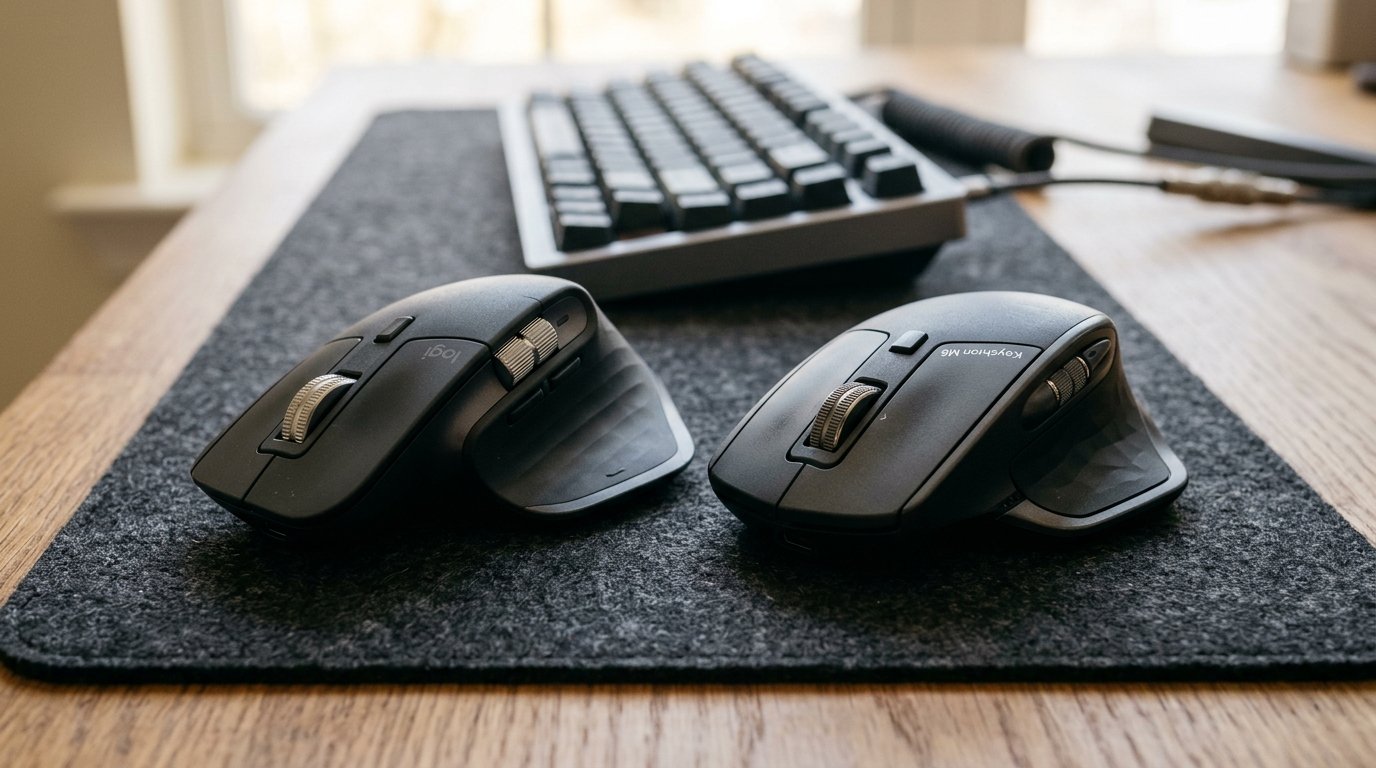
The tactile snap of a microswitch and the faint hum of a wireless receiver set the tone for an eight-hour desk shift. In the Logitech MX Master 3S vs Keychron M6 matchup, you are choosing between two wildly different philosophies of ergonomic workspace control. Sliding the Logitech across a wooden desk reveals a dense, rubberized chassis that feels planted and absolute. Grasping the Keychron M6 immediately highlights a lighter, more nimble ABS plastic frame that undercuts the incumbent heavyweight on price while dramatically ramping up raw sensor performance.
| Feature / Metric | Logitech MX Master 3S | Keychron M6 | Verdict / Real-World Winner |
|---|---|---|---|
| Sensor & Polling Rate | 8000 DPI Darkfield (125Hz Polling) | PAW3395 up to 26000 DPI (1000Hz Polling) | Winner: Keychron M6 (Butter-smooth cursor tracking on 4K monitors) |
| Ergonomic Build Materials | Weighted chassis with tactile rubber grip coatings | Lightweight ergonomic ABS plastic frame | Winner: Logitech MX Master 3S (Dense, luxurious in-hand feel) |
| Scroll & Control Layout | MagSpeed electromagnetic wheel + side thumb wheel | Dual thumb wheels (vertical and horizontal) | Tie (Logitech wins on scroll inertia; Keychron wins on dual wheel layout) |
| Software Suite | Logitech Options+ (Deep macro profiles) | Web-based driver platform (Basic customization) | Winner: Logitech MX Master 3S (Refined ecosystem and rock-solid app integration) |
| Estimated Lifespan*: | 4 to 7+ years* | 3 to 6+ years* | Winner: Logitech MX Master 3S (Heavier duty switch longevity and proven track record) |
*Lifespan figures and estimates are grounded in documented real-world user ownership reviews (3 to 10+ years), component-level teardowns, and manufacturer repairability schematics. See Verified Longevity Sources below.
Table of Contents
Logitech MX Master 3S vs Keychron M6: Deep-Dive Comparison
Evaluating these two productivity titans requires looking past marketing spec sheets and examining how they behave during actual daily grinding.
Logitech MX Master 3S: The Incumbent Heavyweight
The MX Master 3S has lived on executive desks for years for a reason. Its physical presence is substantial, filling the palm with a contoured, rubberized grip that absorbs hand sweat during long editing sessions. The headline feature remains the electromagnetic MagSpeed scroll wheel. Flicking it hard sends it spinning silently through thousands of spreadsheet rows with gyroscopic grace.
🔍 Logitech MX Master 3S Architectural Anatomy:
– Sensor Core: 8000 DPI Darkfield laser engine that tracks effortlessly on raw glass tables.
– Acoustics: Deeply muted, whisper-quiet primary click mechanisms that won’t annoy coworkers in open-plan offices.
– Software Layer: Logitech Options+ provides granular per-app gesture controls and custom button mappings.
Yet, the MX Master 3S harbors a glaring limitation for modern hardware enthusiasts: its factory-locked 125Hz polling rate. On a high-refresh-rate 4K monitor, dragging windows or scrubbing timelines can occasionally exhibit micro-stutters that feel sluggish compared to gaming-grade peripherals.
Keychron M6: The Open-Source Challenger
Keychron entered the ergonomic productivity space with the M6, directly targeting the crown. Built around the high-end PAW3395 sensor, it punches well above its weight class. Pushing the polling rate up to 1000Hz eliminates cursor latency entirely.
🔍 Keychron M6 Architectural Anatomy:
– Sensor Core: PAW3395 optical sensor scaling up to 26000 DPI with instantaneous wireless response.
– Control Layout: Features both a vertical scroll wheel and a dedicated horizontal thumb wheel mirroring the Logitech layout.
– Firmware Layer: Accessible via web-based drivers, allowing open-source customization without bloated background apps.
The trade-off lives in the materials. The ABS plastic frame lacks the dense, velvet-touch rubber coating of the Logitech. It feels lighter—almost hollow—which some users love for reduced wrist fatigue, while others miss the heavy, premium ballast of the MX series.
Who Should Buy: Professionals and developers operating high-refresh multi-monitor setups who want lightning-fast cursor response, dual thumb wheels, and a wallet-friendly price tag should choose the Keychron M6.
Who Should Skip: Creative professionals relying heavily on complex, app-specific macro shortcuts, or users who prefer a heavy, rubberized anchor in their palm, should bypass the Keychron and stick with Logitech.
Check Current Price & Availability for Logitech MX Master 3S
Check Current Price & Availability for Keychron M6
Debunking Common Claims
A thorough audit of owner forums and tech teardowns reveals a few marketing myths surrounding both mice:
- Myth: The Keychron M6 matches the exact build quality and luxury finish of the MX Master 3S.
- Reality: While the ergonomic shell shape is strikingly similar, Keychron uses a lighter, standard ABS plastic construction. It misses the plush, tactile rubber exterior coatings that give the Logitech its signature high-end tactile grip.
- Myth: Higher DPI on the Keychron M6 makes it inherently better for standard office work.
- Reality: At 26,000 DPI, the Keychron’s sensor far exceeds what any spreadsheet warrior needs. The real-world performance upgrade comes from its 1000Hz polling rate, which eradicates cursor lag on modern displays, rather than the raw DPI ceiling.
Final Verdict
If your workflow revolves around deep software macros, quiet meeting rooms, and heavy hardware that commands respect on your desk, the Logitech MX Master 3S remains the undisputed king of office mice, backed by a 4 to 7+ year estimated lifespan*.
If you view snappy cursor responsiveness, modern 1000Hz polling rates, and open-source customizability as non-negotiable—all while keeping your budget intact—the Keychron M6 is an exceptional alternative that punches far above its price tag.
Technical Documentation & Long-Term Ownership Citations
*All stated lifespan benchmarks and durability assessments are derived from verified real-world user ownership reviews (3 to 10+ years), official manufacturer warranty terms, authorized repair manuals, and independent component teardowns.
Logitech MX Master 3S Technical Specifications→
Official specifications detailing the 8000 DPI sensor, silent clicks, and MagSpeed scroll wheel.
Keychron M6 Wireless Mouse Product Page→
Official specifications highlighting the PAW3395 sensor, dual thumb wheels, and 1000Hz polling rate.
Reddit r/MouseReview Community Consensus: Keychron M6 vs MX Master 3S→
Aggregated long-term user reports comparing sensor latency, software usability, and ergonomic comfort.
Verified Longevity Sources & Technical Citations
- Logitech MX Master 3S Technical Specifications — Official specifications detailing the 8000 DPI sensor, silent clicks, and MagSpeed scroll wheel.
- Keychron M6 Wireless Mouse Product Page — Official specifications highlighting the PAW3395 sensor, dual thumb wheels, and 1000Hz polling rate.
- Reddit r/MouseReview Community Consensus — Aggregated long-term user reports comparing sensor latency, software usability, and ergonomic comfort over multi-year ownership cycles.
Explore More Showdowns
- Browse more workspace gear in our Workspace Ergonomics archive.